NotaFresca.log.1
Having explored the world of Swift and Cocoa development when contributing to the open-source project, allyourpasswords, I felt like getting to know it a little better. So, I wrote a simple, locally stored note-taking app in Swift using Cocoa with the aim to launch an imperfect product to prune and nurture over time.
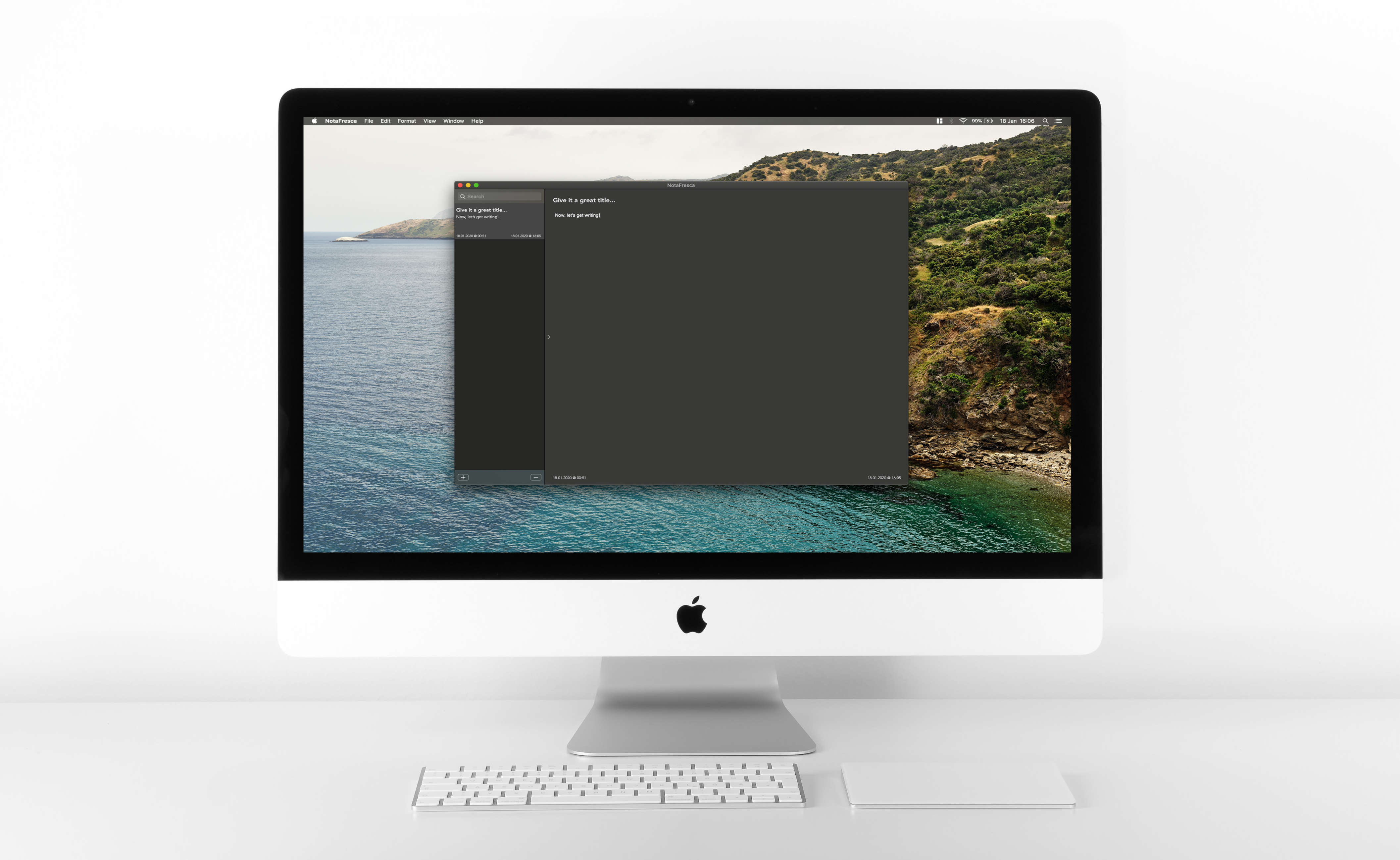
These past 6 months have been fairly work-centric so I wanted to get back into coding for fun and writing about it. But I knew the busy period wouldn't subside for a while longer but I wanted to act upon some fun and interesting ideas I'd had in the interim. I knew working on a single project from zero to perfection wasn't an option (and is often a misguided goal to begin with!), so I knew small and incremental was the way forward (hey, they might just be onto something with that agile vs. waterfall stuff, y'know 🤔).
I recently came across this post by Andrew Schmelyun which neatly summed up how I thought I should think about and approach side projects henceforth, far more poetically than I could at the time. Andrew suggests treating them with the same mindful process as caring for a bonsai tree - "start small, grow iteratively".
So, getting the MVP up and running was my intention, and learning a bunch of Swift and macOS development along the way would be a nice bonus. Which is what I did.
The product ✨
As I've mentioned already, one of the key differences in this side project was my mentality and approach. This extends to the outcome, too. Instead of seeing this as a project I only work on in my spare time or a project through which to learn a new language or platform development, I thought of it from a product-first perspective.
I, like many, love a good note-taking app. From Bear to Evernote - their functionality and design are meticulously oriented toward their prime audience. Sometimes, that's just not what you need. Sometimes, you need the digital equivalent of a notepad and pen by the phone. Simple, clean, and focused. Like TextEdit, but in one convenient place, not folders and files. "So how do we get there, iteratively?", I wondered. I took to Trello, created a board, and like a typical engineer I naturally began to ponder about tools, packages, and features. But, I thought back to how I wanted to break things up over time to provide value immediately which is nurtured and grown over time, and the memory of this image popped into my head...
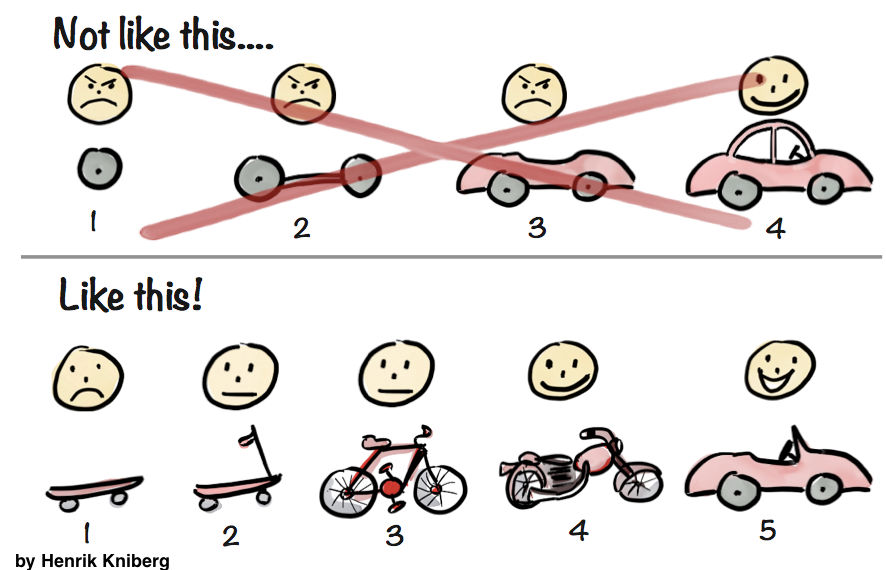
Source: Interaction Design
When you need to build a car to transport people, you can create the best wheels in the world - the perfect aerodynamic design; low noise and low rolling-resistance tyres; a wheel quick-release mechanism - whatever it may be, such focus on elements of the greater system early on can determine the fate of the project and product forevermore. None of that matters to the end-user unless it fulfils that primary function of travelling from A to B, from day one. If their goal is to travel from A to B, even if they have to expend a little more effort to achieve that now, the point is - they achieved it! As you learn what is desired and how they use it, you can refine the requirements and improve the product to require less effort. Progress can be seen, slowly, but surely.
My aim was to get something out which could do the minimum of note-taking expectations - create, write, and return to a note later. And voila - 1.0.0 was born. People can achieve the same on-demand requirements as a notepad by the phone, but with better searchability and formatting 🤘
So how did I prioritise what was to be next? Surely it's just adding features and fixing bugs from here on? Maybe users should be able to tag a note with a particular topic and then search by that? Probably. But now? Probably not. Because what good is having this car if only people in the United Kingdom can drive it? Others want to achieve the same goal, so, make it accessible. Boom - 1.2.1 with interface and application message internationalisation - albeit, detecting and matching localisations and selecting messages from locally stored translations - but it achieves the current need. Is it scalable or practical if this product was suddenly used in 20 countries, perhaps not? It'd probably need a little reworking, but that's okay. Again, the extra effort is submitting something to request your language be added, until this can be automated in some fashion.
Now, searchable tags? Again, since a basic search feature has existed since 1.0.0 to achieve this task, probably not. But something in 1.0.0 which could now be seen as hindering the achievement of the usage goals is deletion. Deleting a note would delete the note, immediately. Bye-bye. Why? Because the first version was about writing clean notes in an instant - not doing administration and filing of them. So since it wasn't a primary usage focus, it was the equivalent of setting alight to the piece of paper 🔥
But, as the basic functionality had been provided, this could move up the priority rankings. So, the recently completed 1.3.1 replaces that 'kill it with fire' with a trash can. Don't want it? Declutter your mind and the app by throwing it in the trash - deal with it later. It takes a great deal of mental load off the user, again, to achieve their primary goal by just seeing the "active" notes that matter. There is no auto-clear at this time, so it also acts as an archive if you want to think of it that way - once trashed, they'll just sit there out of the way. If you need it further down the line, view it there, or restore it to the notebook 👍 Still want to burn it after all? Delete it from the trash, or empty the whole trash. It's all about users being in control.
The lander 🗣
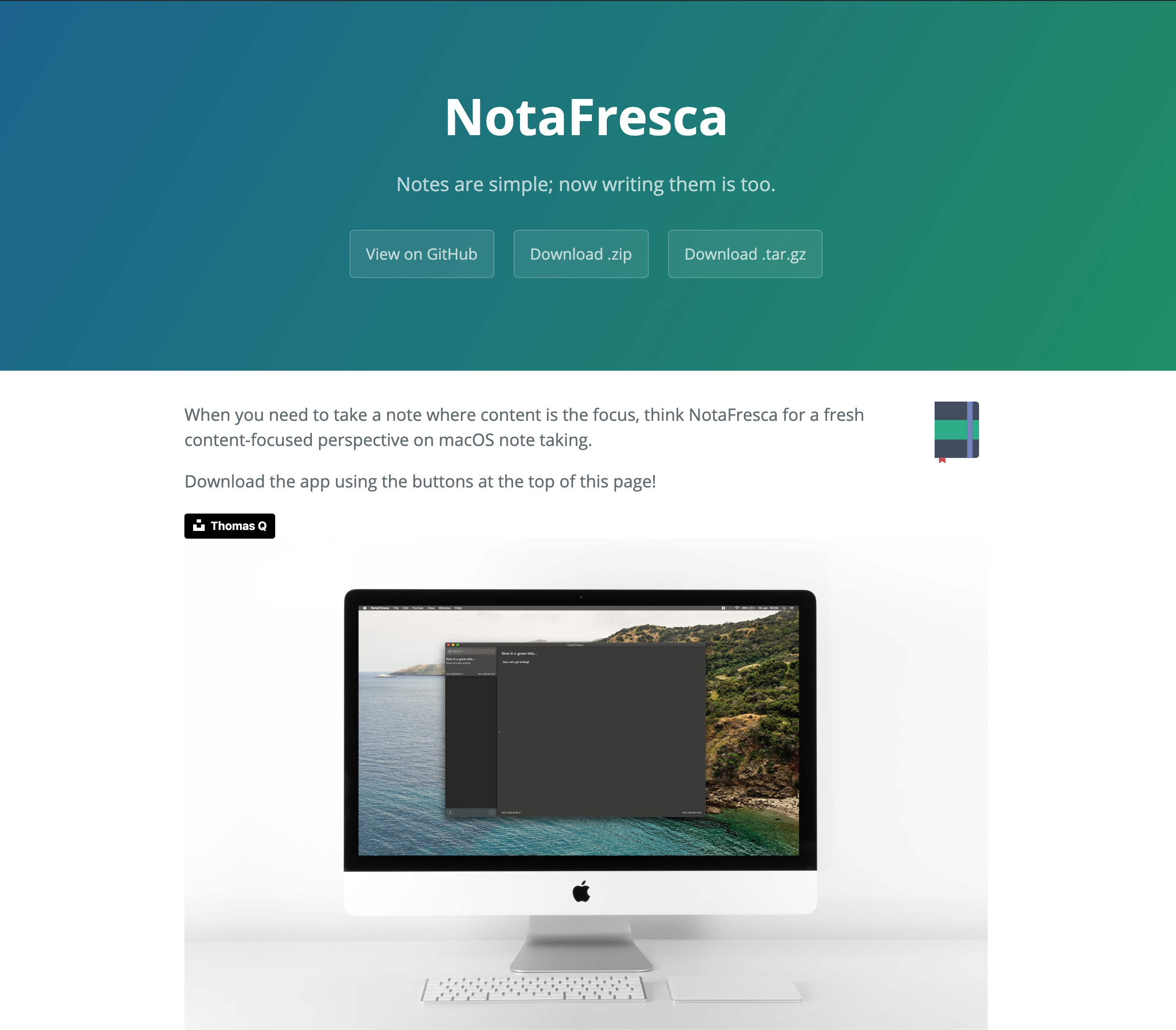 The product is alive and with it, people can achieve their main goal - taking notes. But how can they do that if they don't know it exists? At this time, it's not in the App Store (soon, perhaps) so I needed a billboard. As a developer, the temptation is always to build from scratch and design the perfect website. But, I sparred with and suppressed that desire and temptation to create once again in order to focus on the thing that mattered - the product.
As it turns out, GitHub makes launching a page super-simple, for exactly these situations. Github Pages is a great product to host a free webpage for a repository. With a little elbow grease, picking out a template, reading about how to use Jekyll (a pretty neat project, by the way!), and a little time, it was up and running and I was back to focusing on the application and its users. Again, "will it scale?". As great as GitHub are, it's free and others are fairly entitled to the same compute power and storage so, probably not. And again, that's okay - if and when something more is needed from a user or product perspective, then it can be reviewed and tackled later. The priority is establishing a user base, getting feedback, and getting the word out!
Auto-building
I decided to use TravisCI for triggering builds and executing test suites because it has great integration with GitHub, and clean and user-friendly interface, and fairly extensive and well-written documentation. But also because I already had an account from a previous project and was familiar with it.
Setting up the repository for builds is pretty streamlined - it's clear they've put a lot of effort into making the getting started part easier. Once Travis was authorised to access the GitHub repository, the .travis.yml file had been added, and I pushed a change to master, the little guy was off to the races doing what he does best - building and logging.
There were a few hiccups along the way, understanding how to get a macOS compatible build environment and ensuring the required dependencies were there before attempting the build and test runs, as you can see.
For example, the most commonly recurring issue was ensuring the cocoapods were installed before the run. Now, I thought I had this cracked with the .travis.yml file, but I kept encountering the following in the Travis log:
$ pod --version
1.8.4
before_install.1
1.81s$ gem install cocoapods
before_install.2
1.09s$ pod repo update
before_install.3
5.87s$ pod install
No Gemfile found, skipping bundle install
19.23s$ set -o pipefail && xcodebuild -project NotaFresca.xcodeproj -scheme NotaFrescaTests -destination platform\=macOS build test | xcpretty
▸ Running script '[CP] Check Pods Manifest.lock'
▸ Compiling NoteViewController.swift
▸ Compiling NoteEditorViewController.swift
▸ Compiling DateFormatHelper.swift
▸ Compiling NSTableViewExtension.swift
▸ Compiling BaseViewController.swift
▸ Compiling DatabaseHelper.swift
❌  /Users/travis/build/cognophile/NotaFresca/NotaFresca/Helpers/DatabaseHelper.swift:3:8: no such module 'SQLite'
import SQLite
As the build history shows, there were various issues to do with the version of cocoapods installed and defining a workspace and a project (which confused poor ol' Travis), but with some beauty sleep, research, and thinking, it was installing, building, and testing nicely.
The magic runes for this ended up being the below, in which we set the macOS image, target the workspace (not the project) to ensure all targets and dependencies are included (more on this here), and the test scheme. The key part is that it installs the latest version of cocoapods for that macOS image version, update the repository caches, and then install the latest versions of the pods.
os: osx
language: swift
osx_image: xcode10.2

xcode_workspace: NotaFresca.xcworkspace
xcode_scheme: NotaFrescaTests
xcode_destination: platform=macOS

before_install:
  - gem install cocoapods
  - pod repo update
  - pod install
So all in all, what does this deliver as value to the end-user? Well, it certainly stops any compile-time errors from reaching production. Since the project is open source, we can't always rely on contributors checking for build success or test success, so, tools like Travis integrated with the central repository are extremely handy for enforcing reliability and assurances around the technical parts of the project.
If you're thinking "what tests...?", yes, I failed to add these early on. More often than not, I'm of a TDD mindset and process, but this time around I learned the hard way that this mindset of "how will I test this?" (even if not writing the tests first) is essential to avoid getting down the road and providing value but without a meaningful test suite - perhaps even more so when learning a new environment and ecosystem. Learning a new ecosystem can be challenging enough without tests involved, but as I knew (but seem to have learnt all over again), it really is worth the upfront investment to get your head around testing and to keep it in mind (or better yet, do it!) whilst learning and building. It's a difficult thing to balance.
So, that's one of my next tasks and lessons - adding Swift and SwiftUI tests retrospectively to a project. An interesting and valuable lesson in itself, no doubt.
Onwards 👋
What's next for NotaFresca then? Well as someone who eats their own dog food, I've a few tasks in the works to improve the end-user experience and achievement of their goals and fixing the inevitable technical debt with which we're all familiar born from moving fast. But I hope to hear from folks for ideas and issues to address!


